Wuhan Nice Laser Co., Ltd

Proper Maintenance of the Laser Marker
Upload Time:
Aug 19, 2026
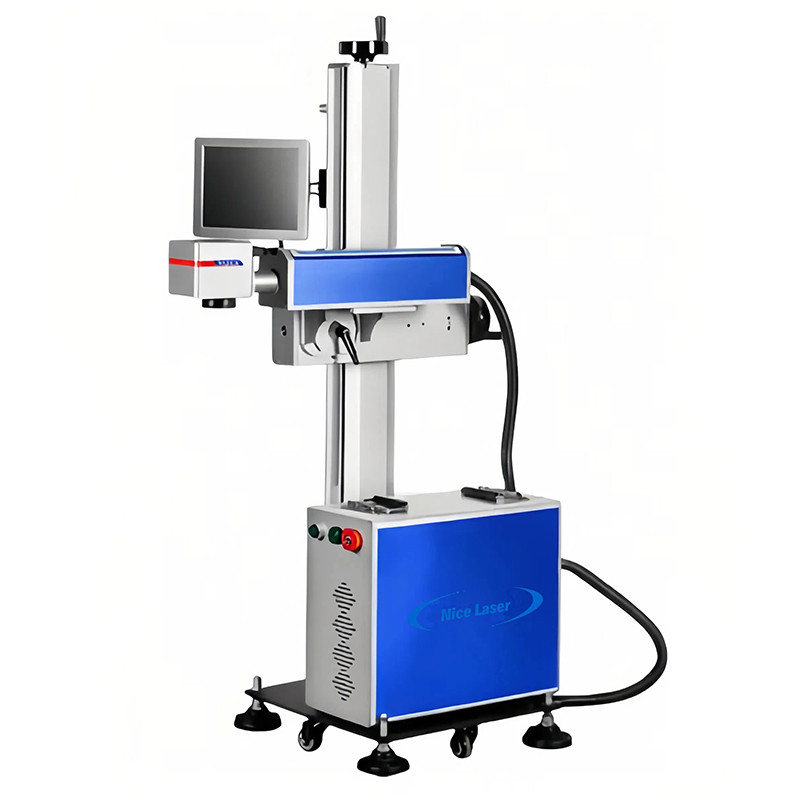
With the widespread adoption of laser technology, laser marking machines are being used in an increasingly broad range of applications. After a period of use, the performance of a laser marking machine will experience a certain degree of degradation, which directly affects marking quality, marking speed, and the service life of the equipment
Maintenance of the Laser Marker
With the widespread adoption of laser technology, laser marking machines are being used in an increasingly broad range of applications. After a period of use, the performance of a laser marking machine will experience a certain degree of degradation, which directly affects marking quality, marking speed, and the service life of the equipment. The following are the maintenance procedures and precautions for laser marking machines:
Daily Pre-Use Inspection
• Clean dust, dirt, and foreign objects from inside the equipment. Use a vacuum cleaner, alcohol, and lint-free cloth to remove dust, grime, and external debris;
• Check whether the focal length is within the standard range and test the laser to ensure it reaches its strongest state;
• Inspect the field lens for dirt or contamination and wipe it with lens cleaning paper;
• Check whether the parameter setting screen on the laser is functioning normally and that laser parameters are within the set range;
• Verify that the machine powers on correctly. Confirm that the main power switch, laser control switch, and laser marking system switch all turn on properly;
• Confirm that all switches function correctly. After pressing each switch, check that power is supplied and that the laser operates normally;
• Check that the equipment is properly grounded and that the power cord and plug are intact to prevent electric leakage accidents.
Precautions During Use
• Keep the galvanometer of the laser marking machine away from strong magnetic fields, strong electrical sources, and strong vibration or current sources. Avoid touching the galvanometer with hands or other objects. When the laser marking machine is not in operation, disconnect the power to both the marking machine and the computer, and cover the lens to protect it from dust, environmental contamination, and damage to the optical glass.
• During prolonged use of the laser marking machine, dust in the air will accumulate on the lower surface of the field lens. Mild contamination reduces laser power and affects marking quality; severe contamination can cause the optical lens to overheat and crack. When marking results are poor, carefully inspect the field lens surface for contamination. It is recommended that operators clean the field lens regularly.
• Check whether the laser output is normal by opening the software and performing a manual marking test to verify laser operation.
Post-Use Maintenance
• Apply lubricating oil to moving parts such as the lifting mechanism and guide rails once a month. Check whether the laser cooling fan is rotating normally, and clean dust from the laser power supply and control board;
• Clean the worktable, monitor, and keyboard surfaces with a clean cloth, and promptly remove debris—especially metal residue or metal powder left after marking. Clean the surrounding area and maintain good ventilation.



Contact Us
No.18, Liu Fang Yuan South Road, Eastlake High-Tech Development Zone, Wuhan, Hubei, 430205, China.


